 Backtickle
Compare · Updated
Backtickle vs Zettlr
Zettlr is a research workbench with Zotero and a bundled Pandoc; Backtickle is a lighter reader and editor for every Markdown flavor.
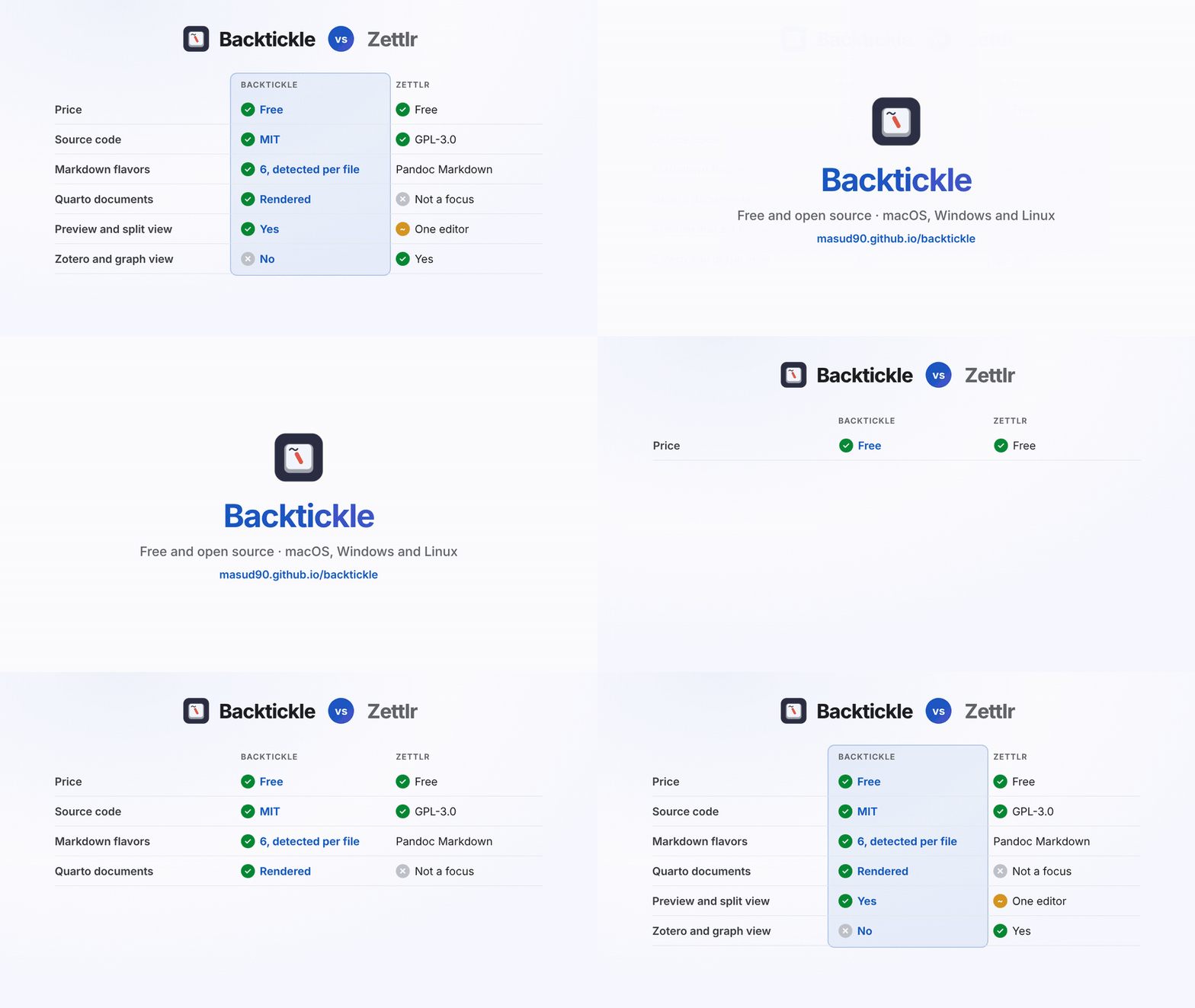
Short answer: Zettlr is a full research workbench: Zettelkasten links and IDs, a graph, live Zotero citations and a bundled Pandoc for exporting with journal templates. Backtickle is a lighter Markdown editor and reader that opens any document in the right flavor (Pandoc, Quarto, R Markdown, Obsidian, GitHub, MDX) with citations, math and diagrams rendered. Use Zettlr to run a research project; use Backtickle to read and write Markdown of every kind.
At a glance
| Backtickle | Zettlr | |
|---|---|---|
| Price | Free | Free, donation-funded |
| Source code | Open source, MIT License | Open source, GPL-3.0 |
| Platforms | macOS 14+, Windows 10 and 11, Linux | macOS, Windows, Linux |
| Editing | Editor, Split and Preview views | One editor, from raw source to rich rendering |
| Markdown flavors | CommonMark, GFM, Obsidian, Pandoc / MultiMarkdown, Quarto / R Markdown, MDX, detected per file | Pandoc Markdown |
| Citations | From BibTeX and CSL files named in the document | Zotero, JabRef and Juris-M libraries, 9,000+ styles |
| Quarto | Cross-references, callouts and tabsets rendered; Render with Quarto | Not a focus |
| Diagrams | Mermaid and Graphviz | Mermaid |
| Note linking | Renders wikilinks; backlinks on the roadmap | Wiki-links, note IDs, graph view |
| Export | HTML, PDF, print, Word (through your Pandoc), Render with Quarto | Bundled Pandoc: Word, LaTeX, Beamer, reveal.js, PPTX and more |
Zettlr details from zettlr.com and its GitHub repository, checked October 2026.
Where Backtickle is the better choice
- A reader as well as an editor. A full Preview view and a Split view with synced scrolling show the document as it will look, next to the source.
- Quarto and R Markdown. Quarto cross-references, callouts and tabsets render, code chunks are shown (never run), and Render with Quarto hands the file to RStudio or the terminal.
- Every kind of Markdown. READMEs, Obsidian notes and MDX open in their own flavor, not as Pandoc.
- Light. Built on the system web view with Tauri, it starts fast and keeps memory low.
Where Zettlr is the better choice
- Zettelkasten. Note IDs, wiki-links, backlinks and a graph view.
- Live reference managers. Direct Zotero, JabRef and Juris-M integration, with thousands of citation styles.
- Export with templates. Zettlr bundles Pandoc and offers LaTeX and Word templates, slides and more without installing anything else.
Using both
Zettlr and Backtickle both keep plain .md files on disk, so you can write in Zettlr and open the same folder in
Backtickle to read, check how a Quarto or Obsidian file renders, or export a quick PDF.
Questions
What is an alternative to Zettlr?
Backtickle is a free, open-source Markdown editor and reader for macOS, Windows and Linux. It renders Pandoc citations from BibTeX and CSL files, Quarto and R Markdown documents, Obsidian notes and GitHub Markdown, and exports to PDF and Word. Zettlr remains the better choice for Zettelkasten note-taking and live Zotero integration.
Do Backtickle and Zettlr both support Pandoc citations?
Yes. Both render Pandoc-style citations. Zettlr connects to Zotero, JabRef and Juris-M libraries; Backtickle reads the bibliography files (BibTeX, CSL JSON, CSL YAML) a document names.
Is Backtickle open source like Zettlr?
Yes. Backtickle is MIT-licensed; Zettlr is GPL-3.0. Both are free.
More comparisons
- Backtickle vs Typora: Typora costs $14.99 and is closed source; Backtickle is free, open source and reads six Markdown flavors.
- Backtickle vs Obsidian: Obsidian is built for a linked vault of notes; Backtickle opens any Markdown file, in any flavor, and is open source.
- Backtickle vs MarkText: Both are free and MIT-licensed; Backtickle adds Pandoc, Quarto and Obsidian flavors, citations, a split view and Word export.
- Backtickle vs iA Writer: iA Writer is a paid, focused writing app; Backtickle is a free, open-source Markdown editor and reader that also runs on Linux.
- Backtickle vs MacDown: MacDown has not been updated since 2020 and needs Rosetta; Backtickle is a maintained, free split-view editor that runs natively on Apple silicon.
- Backtickle vs ghostwriter: ghostwriter is a distraction-free KDE editor that leans on Pandoc; Backtickle has math and diagrams built in and ships for macOS too.
- Backtickle vs Marked: Marked is a paid, Mac-only previewer for files written elsewhere; Backtickle previews and edits, for free, on three platforms.