 Backtickle
Compare · Updated
Backtickle vs Typora
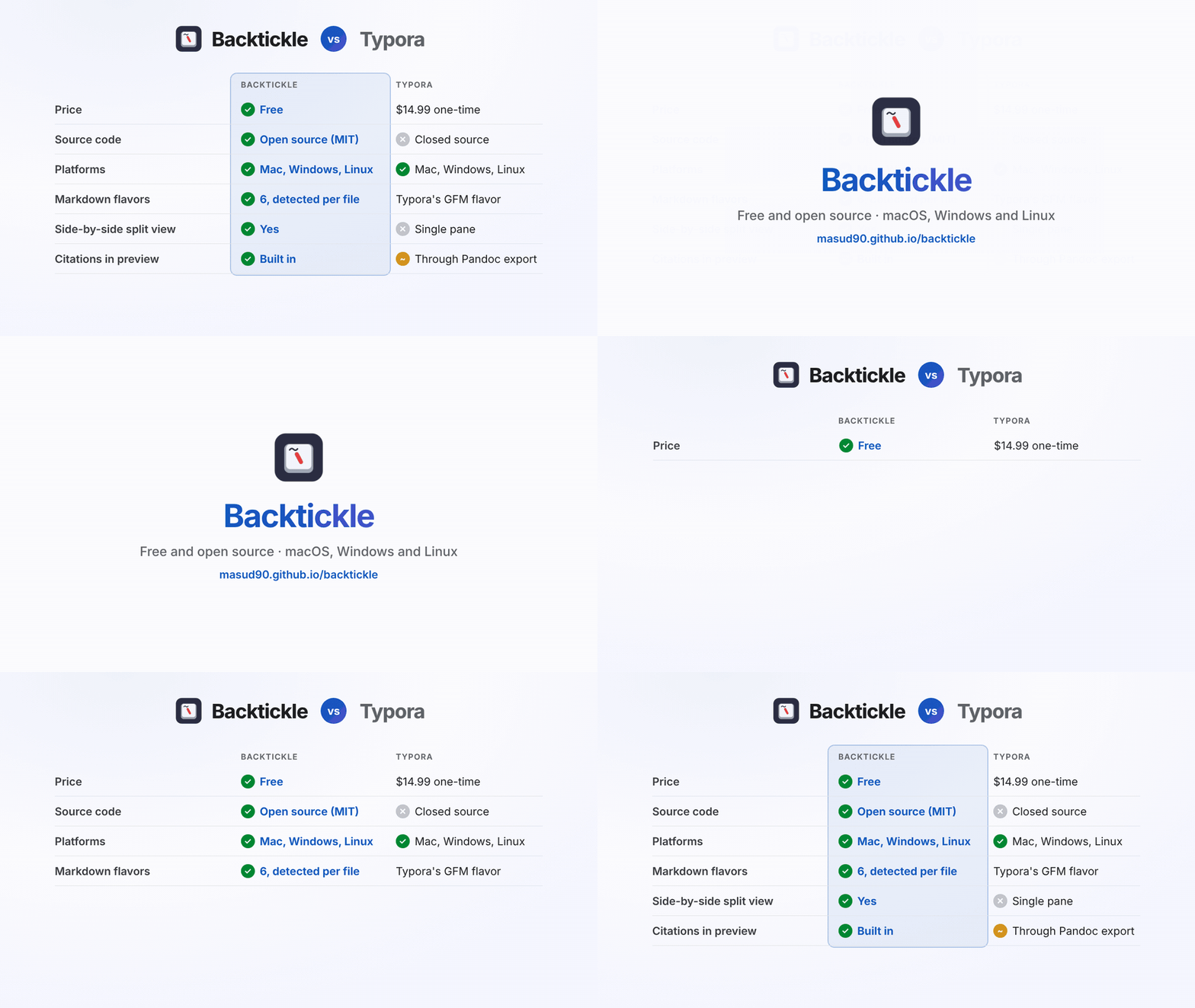
Typora costs $14.99 and is closed source; Backtickle is free, open source and reads six Markdown flavors.
Short answer: if you want Typora's clean Markdown reading and writing without paying for a license, and you want
an app whose source you can read, Backtickle is the closest free alternative. It runs on the same three desktop
platforms and opens the same plain .md files. Typora is still the more polished choice if you want only
seamless, Word-like editing and export to many formats.
At a glance
| Backtickle | Typora | |
|---|---|---|
| Price | Free | $14.99 one-time (3 devices), 15-day trial |
| Source code | Open source, MIT License | Closed source |
| Platforms | macOS 14+, Windows 10 and 11, Linux | macOS, Windows, Linux |
| Editing | Editor, Split and Preview views, Live Preview in the editor | Seamless live preview (one pane), Source mode |
| Markdown flavors | CommonMark, GFM, Obsidian, Pandoc / MultiMarkdown, Quarto / R Markdown, MDX, detected per file | Typora's own GFM-based flavor |
| Math | KaTeX | MathJax |
| Diagrams | Mermaid and Graphviz | Mermaid, flowchart.js, sequence diagrams |
| Citations | Pandoc citations and bibliographies (BibTeX, CSL) rendered in the preview | Through Pandoc export |
| Export | HTML, PDF, print, Copy as HTML, Word (through Pandoc), Render with Quarto | PDF, HTML, image; Word, EPUB, LaTeX and more through Pandoc |
Typora details from typora.io and its export docs, checked October 2026.
Where Backtickle is the better choice
- You want it free and open. No license, no trial clock, and the code is public, so anyone can check what it does or fix what it does not.
- You read more than one kind of Markdown. READMEs, Obsidian notes, Pandoc papers, Quarto and R Markdown documents and MDX each render with their own rules. Backtickle detects the flavor per file, and you can change it from the title bar.
- You write technical or academic documents. Citations and bibliographies, Quarto cross-references and callouts, Graphviz diagrams and an optional Exact Preview through Pandoc.
- You want to see the source. The Split view keeps the Markdown and the result side by side with synced scrolling, which Typora's single pane does not.
- Privacy matters. Backtickle's only network request of its own is a daily update check you can turn off, and nothing in a document ever runs.
Where Typora is the better choice
- Seamless editing is all you want. Typora's one-pane editing, where syntax disappears as you type, is mature and polished. Backtickle's in-place preview is still filling in tables and math.
- Many export formats out of the box. Typora's export menu covers more formats and has more styling options.
- A mature, finished product. Typora has been refined for years. Backtickle is young (version 0.2, October 2026), and its macOS and Windows builds are not signed yet, so you allow the app once on first launch.
Switching from Typora
- Download Backtickle for your platform.
- Open your Typora folder with Open Folder. Your files stay where they are; nothing is imported.
- Pick the Split view to edit next to the result, or Editor with Live Preview for a Typora-like page.
- Images you paste are saved next to the document and linked, as in Typora's default setting.
Questions
Is there a free alternative to Typora?
Yes. Backtickle is a free, open-source Markdown editor and reader for macOS, Windows and Linux. It renders math, Mermaid diagrams, tables, footnotes and task lists like Typora, needs no license key, and its source code is on GitHub under the MIT License.
Is Backtickle open source?
Yes. Backtickle is released under the MIT License at https://github.com/masud90/backtickle. Typora is a paid, closed-source app.
Can Backtickle open my Typora files?
Yes. Typora saves plain .md files, and Backtickle opens the same files, or a whole folder of them, without importing or converting anything.
Does Backtickle have Typora's seamless WYSIWYG editing?
Partly. Backtickle has Live Preview in the editor, which already draws headings, emphasis, links and images in place, plus a side-by-side Split view and a full Preview. Tables, math and code blocks drawn in place are on the roadmap. If you want only seamless editing today, Typora does that more completely.
More comparisons
- Backtickle vs Obsidian: Obsidian is built for a linked vault of notes; Backtickle opens any Markdown file, in any flavor, and is open source.
- Backtickle vs MarkText: Both are free and MIT-licensed; Backtickle adds Pandoc, Quarto and Obsidian flavors, citations, a split view and Word export.
- Backtickle vs iA Writer: iA Writer is a paid, focused writing app; Backtickle is a free, open-source Markdown editor and reader that also runs on Linux.
- Backtickle vs Zettlr: Zettlr is a research workbench with Zotero and a bundled Pandoc; Backtickle is a lighter reader and editor for every Markdown flavor.
- Backtickle vs MacDown: MacDown has not been updated since 2020 and needs Rosetta; Backtickle is a maintained, free split-view editor that runs natively on Apple silicon.
- Backtickle vs ghostwriter: ghostwriter is a distraction-free KDE editor that leans on Pandoc; Backtickle has math and diagrams built in and ships for macOS too.
- Backtickle vs Marked: Marked is a paid, Mac-only previewer for files written elsewhere; Backtickle previews and edits, for free, on three platforms.