Backtickle
The open-source Markdown reader and writer.
Write on the left, read on the right, on macOS, Windows and Linux. Free, private, and nothing in a document ever runs.





Why Backtickle
Markdown is everywhere now: READMEs, notes, papers, AI assistants' answers, and the instruction files coding agents read. Most of the time the only way to read one properly is to open a code editor. Backtickle is a calm desktop app that shows a Markdown file the way it is meant to be read, and lets you edit it beside the result.
- Six flavors, detected for you. CommonMark, GitHub Flavored Markdown, Obsidian, Pandoc / MultiMarkdown, Quarto / R Markdown and MDX.
- The things technical writing needs. Math, Mermaid and Graphviz diagrams, citations and bibliographies, callouts, task lists, cross-references, export to HTML, PDF and Word.
- Safe by design. Nothing in a document is ever executed, and the app makes no network requests of its own.
- Light. Built with Tauri on the system web view, not a bundled browser, so it starts fast and stays small.
Download
Get the latest version from the Releases page. One release holds every platform.
| Platform | File | Install |
|---|---|---|
| macOS 14 Sonoma or later, Apple Silicon and Intel | Backtickle-<version>.dmg |
Open the DMG and drag Backtickle to Applications. |
| Windows 10 or 11, 64-bit | Backtickle_<version>_x64-setup.exe (for your user) or Backtickle_<version>_x64_en-US.msi |
Run the installer. |
| Linux x86-64 (Ubuntu 22.04, Debian 12, Fedora 39 or later) | Backtickle_<version>_amd64.deb or Backtickle_<version>_amd64.AppImage |
sudo apt install ./Backtickle_<version>_amd64.deb, or chmod +x the AppImage and run it. |
Every file has a .sha256 next to it on the release page if you want to check your download.
First launch: the macOS and Windows builds are not signed yet
Backtickle is a free personal project, and code-signing certificates cost money every year (an Apple Developer membership for macOS, a code-signing certificate for Windows). Until it has them, your system will warn you the first time you open the app. The builds are made in public by the Release workflow from the source in this repository, and you only need to allow the app once.
macOS: "Apple could not verify Backtickle is free of malware"
- Open Backtickle from Applications. macOS blocks it; click Done (or OK).
- Open System Settings > Privacy & Security and scroll down to the message about Backtickle.
- Click Open Anyway, confirm with your password or Touch ID, then click Open.
Backtickle opens normally from then on. (On macOS 15 Sequoia and later, Control-click > Open no longer skips this check, so use the steps above.)
If you prefer Terminal, removing the download quarantine flag does the same thing:
xattr -dr com.apple.quarantine /Applications/Backtickle.app
Windows: "Windows protected your PC"
- When SmartScreen shows the blue "Windows protected your PC" window, click More info.
- Click Run anyway.
If your browser flags the download as uncommon, choose Keep (in Edge: the ... menu next to the download, then Keep, then Show more > Keep anyway).
Linux: nothing to bypass
Linux does not check for a publisher signature, so there is no warning to get past. The .deb adds Backtickle to the app menu and to
"Open With" for Markdown files; Preferences can then make it the default Markdown app. The AppImage only needs
to be made executable (chmod +x Backtickle_<version>_amd64.AppImage).
If you would like to help Backtickle get signed releases, see Contributing.
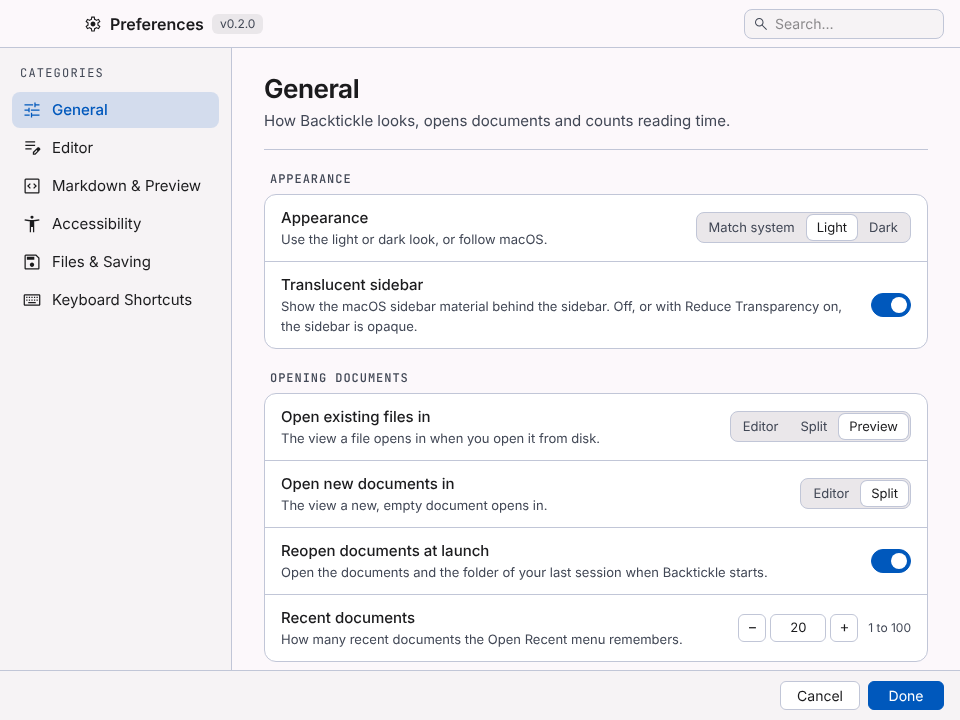
Screenshots
 |
 |
 |
 |
Features
Markdown flavors
- CommonMark, GitHub Flavored Markdown, Obsidian, Pandoc / MultiMarkdown, Quarto / R Markdown and MDX.
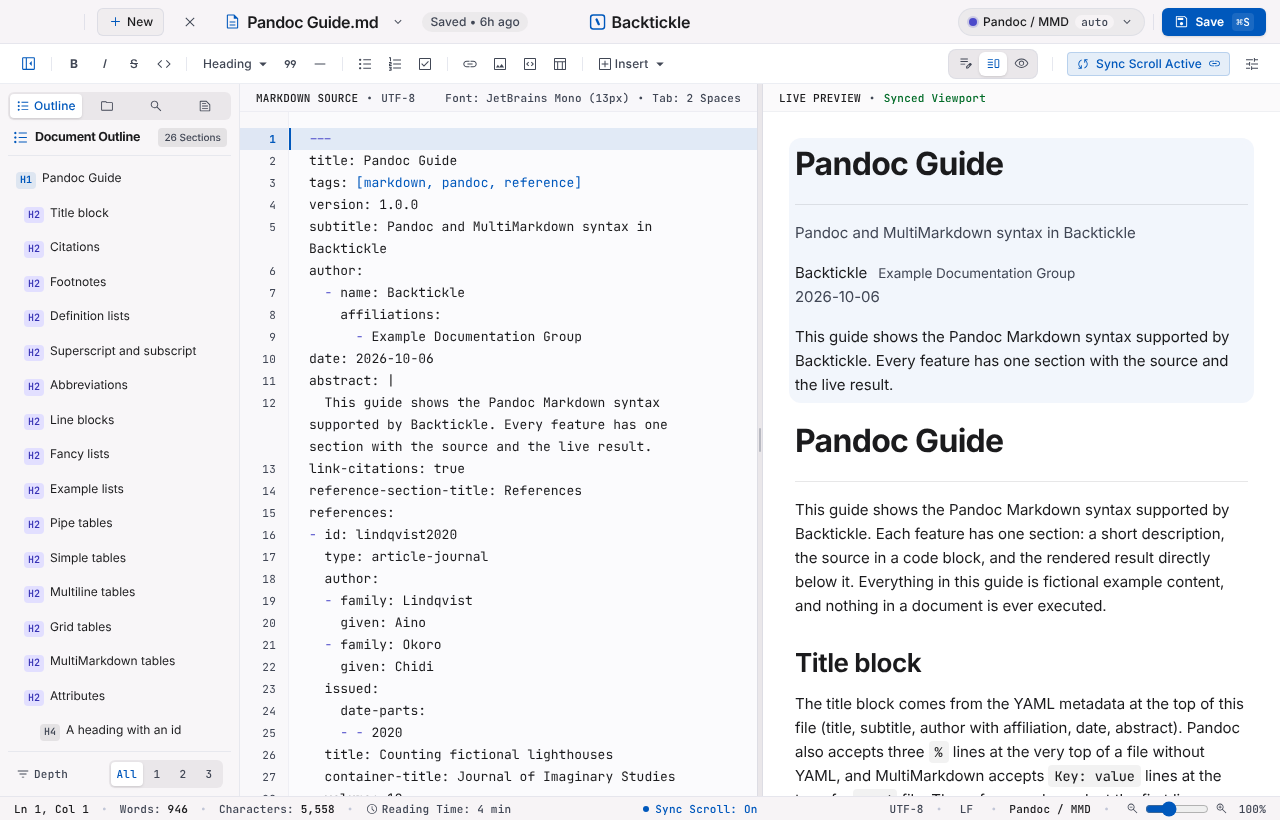
- The flavor is detected per document and can be overridden from the flavor pill in the title bar.
- Pandoc citations and bibliographies (BibTeX, CSL JSON, CSL YAML), Obsidian wikilinks, embeds, callouts and properties, Quarto cross-references, callouts and tabsets. Code chunks and MDX components are shown, never run.
Writing
- CodeMirror 6 editor with formatting commands, list continuation, auto-pairing, find and replace, and autocomplete.
- Smart paste: a URL over a selection becomes a link; web, Word and Outlook content becomes Markdown; Excel cells become a table.
- Paste a screenshot or drop images into the editor; they are saved next to the document and linked.
- Live Preview in Editor, snippets, typewriter scrolling, reading ruler and focus-line spotlight.
- Word, character and reading-time counts that skip Markdown syntax, code and metadata.
Preview
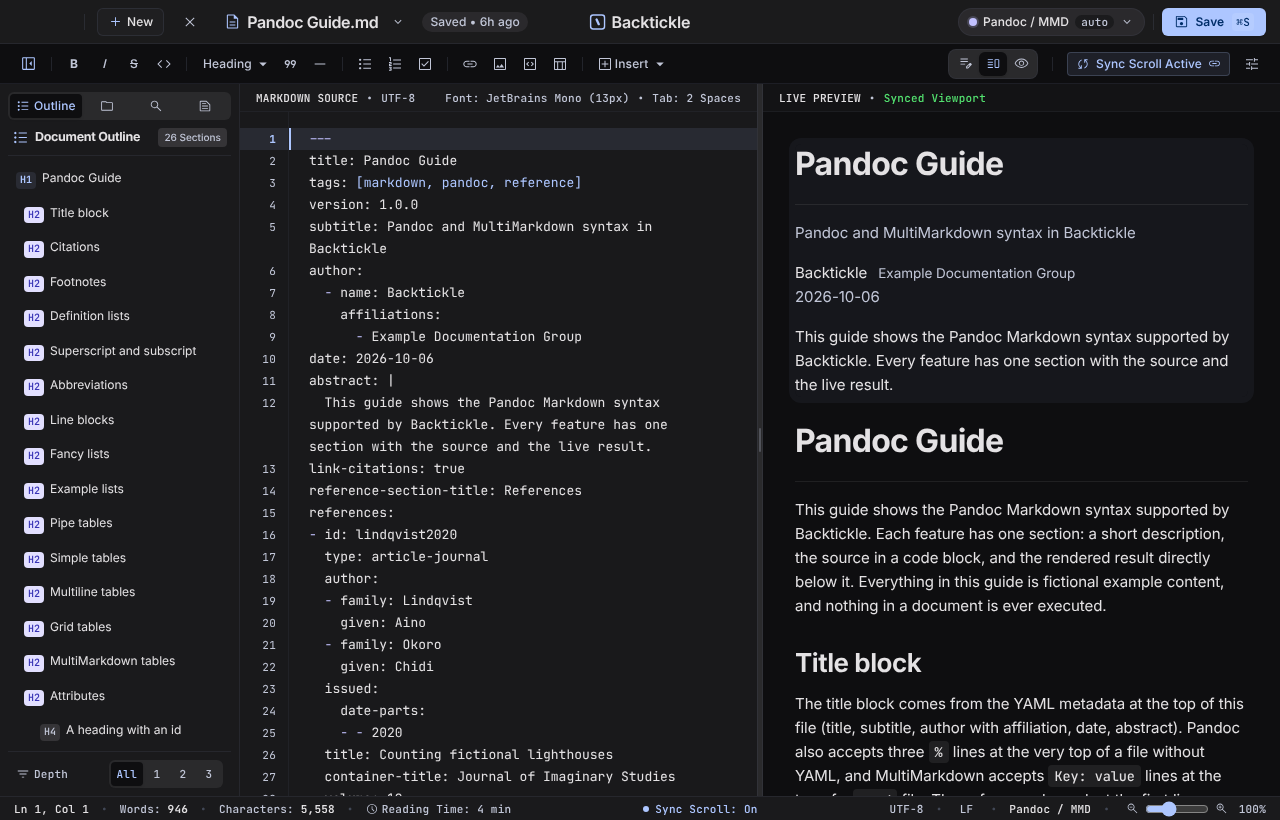
- Editor, Split and Preview views with synced scrolling and a document outline.
- Math (KaTeX), Mermaid and Graphviz diagrams, code cards, task boxes that edit the source.
- Large documents render in windows, so multi-megabyte files stay responsive.
- Exact Preview through Pandoc (optional).
Files and search
- Folder sidebar with rename, move, duplicate and move to Trash (nothing is deleted permanently).
- Folder search, Quick Open and a command palette.
- Changes made outside Backtickle are detected; session restore and crash recovery.
Export
- HTML, one-click PDF, print, Copy as HTML, Word (through Pandoc) and Render with Quarto.
Windows and tabs
- One window with tabs; Move Tab to New Window for several windows. Preferences is a separate window.
Accessibility
- Dyslexia-friendly reading, reading ruler, reduce motion, high-contrast dividers, interface scale 100 to 150%.
- Full keyboard access and editable shortcuts. The interface is checked with axe against WCAG 2.2 AA.
Safety and privacy
- The preview is sanitized and runs under a strict content security policy.
- The app makes no network requests of its own. Links open in your browser only when you click them, and remote images can be turned off in Preferences.
Requirements
macOS 14 Sonoma or later, with Safari 26 installed (Software Update offers it on Sonoma and Sequoia; Backtickle draws its window with the system WebKit that Safari brings). The release DMG is universal (Apple Silicon and Intel).
Windows 10 or 11 (64-bit) with the Microsoft Edge WebView2 Runtime, which Windows 11 has built in (the installer adds it on Windows 10 if it is missing). The translucent sidebar needs Windows 11.
Linux on x86-64 with WebKitGTK 4.1 (Ubuntu 22.04, Debian 12, Fedora 39 or later; the .deb installs it). The sidebar is always opaque on Linux.
Optional tools
- Pandoc enables Word export and Exact Preview. Backtickle finds the Pandoc inside RStudio (on Windows and Linux also a Pandoc or Quarto install, or one on PATH), or you can choose one in Preferences.
- RStudio and Quarto: Render with Quarto hands the document to RStudio, where you press Render. Without RStudio, Terminal (a Command Prompt window on Windows, the system's terminal app on Linux) runs the render command.
Contributing
Backtickle is young, and there is room to shape it. You do not need to be a Rust or Svelte expert to help; some of the most useful contributions are not code at all. The roadmap shows what is planned next, with an issue for each item.
- Try it and tell us what breaks. Open an issue with the file that rendered wrong (or a small piece of it), your platform and the version. Rendering bugs with a sample are the easiest to fix.
- Send Markdown that trips it up. Real-world documents in any of the six flavors make the best test fixtures, especially Pandoc, Quarto and Obsidian files.
- Package it. Homebrew, winget, Scoop, Flatpak, the AUR or another package manager you use: help is welcome getting Backtickle into them.
- Help with signing. If you can sponsor or advise on an Apple Developer ID or a Windows code-signing certificate (for example through an open-source signing program), please get in touch through an issue.
- Check accessibility. Screen reader and keyboard-only reports on any platform are very valuable.
- Write code. Look for issues labeled good first issue or help wanted (packaging tasks are labeled packaging), or open an issue to discuss an idea before a large change.
Four principles guide every change: nothing in a document is ever executed, the app makes no network requests of its own, memory use stays low, and dependencies use permissive licenses. CONTRIBUTING.md explains them and lists the checks to run before a pull request. Please report security problems privately, as described in SECURITY.md.
Build from source
You need Node 24 and npm, the Xcode Command Line Tools, and Rust stable installed with rustup (for the universal
build also run rustup target add x86_64-apple-darwin).
npm ci
npm run build:app             # release app for this Mac, copied to outputs/Backtickle.app
npm run build:app:universal   # Apple Silicon and Intel
npm run dmg                   # packs the app into a DMG in outputs/
npm run app:dev               # the app window with hot reload
npm run dev                   # the frontend alone in a browser, on a mock platform
On Windows you need Node 24, Rust stable (MSVC) and the Visual Studio C++ Build Tools; then npm ci and
npm run build:app:windows build the installers into src-tauri/target/release/bundle/ (nsis/ and msi/).
On Linux you need Node 24, Rust stable and the WebKitGTK development packages (on Debian and Ubuntu:
sudo apt install libwebkit2gtk-4.1-dev libgtk-3-dev librsvg2-dev libayatana-appindicator3-dev patchelf); then
npm ci and npm run build:app:linux build the .deb and the AppImage into src-tauri/target/release/bundle/
(deb/ and appimage/).
Tests
npm run check          # typecheck, lint, unit tests
npm run test:rust      # Rust tests
npm run test:ui        # Playwright on WebKit (once: npx playwright install webkit)
npm run test:fidelity  # compares output with Pandoc and Quarto fixtures
npm run test:pandoc    # needs Pandoc
node scripts/gen-large-doc.mjs --size 100k   # generates the large-document fixtures
Keep the screen unlocked while the UI tests run. See CONTRIBUTING.md.
Releasing
Set the new version in package.json, src-tauri/Cargo.toml and src-tauri/tauri.conf.json (the tests check
that they agree; run npm install and cargo check so the lockfiles follow), then push a matching tag (for
example v0.2.0). The Release workflow builds the universal app and DMG, the Windows installers and the Linux
packages, and attaches them, with their SHA-256, to a draft release that you publish by hand. To have the app
signed and notarized, add these repository secrets: APPLE_CERTIFICATE (base64 of the Developer ID Application
.p12), APPLE_CERTIFICATE_PASSWORD, APPLE_SIGNING_IDENTITY, APPLE_ID, APPLE_PASSWORD (an app-specific
password) and APPLE_TEAM_ID. Without them the app is built unsigned, as before.
One release holds every platform of a version. To add the Windows installers or the Linux packages to a
release that already has its DMG, run the Release workflow by hand with the tag, platforms: windows or
platforms: linux and, if the tag predates that build, source: main (the version there must match the tag).
License and acknowledgments
Backtickle is released under the MIT License. It builds on Tauri, Svelte, CodeMirror, markdown-it, KaTeX, Mermaid, Graphviz (through @viz-js/viz) and many other open source packages; see THIRD_PARTY_NOTICES.md for the list and licenses. Bundled fonts (Inter, JetBrains Mono, Literata, Atkinson Hyperlegible, Lexend, OpenDyslexic) are under the SIL Open Font License 1.1.